⚠️ STOP: Read This Warning First
If you are wondering how to check for data breaches safely, you are walking into a minefield. Thousands of phishing sites pretend to be “checkers” just to harvest your email address.
Do not just Google it. This guide shows you the only trusted methods to verify your status without risking more exposure.
Thousands of phishing sites pretend to be breach checkers. Their real goal? Harvest your email address and add it to spam lists.
Here’s how the scam works:
You search “am I hacked.” then click the first result and then enter your email. The site says “Checking…” Then it tells you you’ve been breached (whether you have or not). Then it demands payment for “protection services.”
Meanwhile, they just collected your email and confirmed it’s active.
Don’t fall for it.
The Safe Way to Check Your Status
We’ll show you three trusted methods. No sign-ups required or scams.
These are the same tools security professionals use. They’re free. They’re legitimate. They work.
Here’s what we’ll cover:
- The industry-standard breach database (HaveIBeenPwned)
- Your browser’s hidden password checker
- The inbox forensic search method
Let’s start.
Step 1: How to Check for Data Breaches Using HaveIBeenPwned
The Only Breach Checker You Should Trust
There’s one tool security experts actually recommend: HaveIBeenPwned (HIBP).
It’s run by Troy Hunt, a respected security researcher. Governments use it. Security teams use it. Law enforcement uses it.
The database contains over 12 billion compromised accounts from verified breaches. It’s updated constantly as new breaches surface.
How to Use It Safely
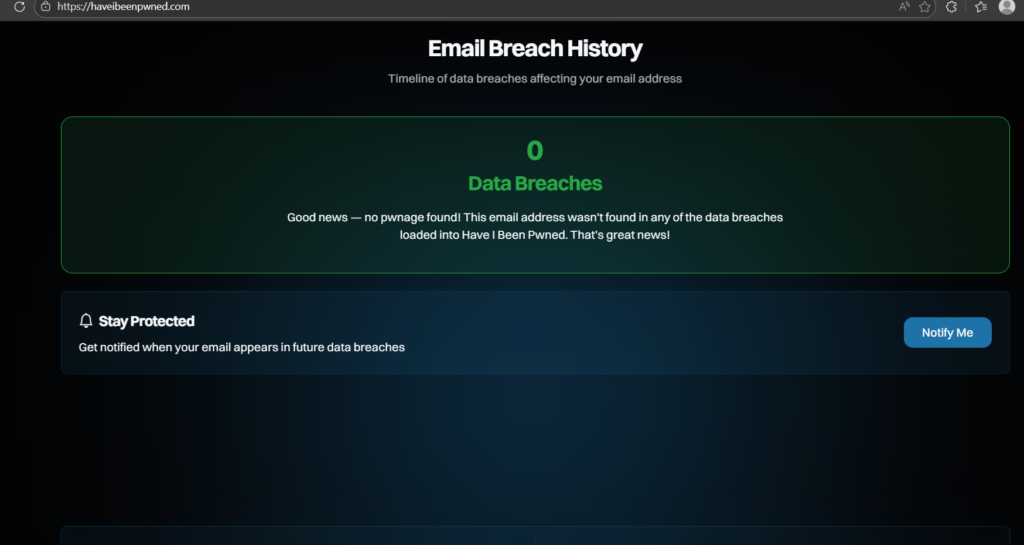
Go to: haveibeenpwned.com
Check BOTH your email AND phone number:
Check Your Email First
Enter your email address in the search box.
Wait for results:
Green Screen (“Good news — no pwnage found!”): Your email isn’t in any known breach databases. You’re lucky. For now.
Red Screen (“Oh no — pwned!”): Your email appears in one or more breaches. Scroll down to see the full list.
Now Check Your Phone Number (Critical)
Click “phone” at the top of the HaveIBeenPwned homepage.
Enter your phone number (include country code, e.g., +1 for US).
Why this matters: The Facebook breach (533 million users) and WhatsApp leaks exposed phone numbers, not emails. If you only check email, you’ll miss these entirely.
Phone number breaches enable:
- SIM swapping attacks (criminals steal your phone number)
- Two-factor authentication bypass (they get your 2FA codes)
- WhatsApp account takeover
- Targeted SMS phishing using your real name
If your phone number appears in breaches, this is extremely serious.
How to Read Your Results
When you see the list of breaches, here’s what matters:
Look for recent breaches (2023-2026). Old breaches from 2012 matter less if you’ve changed passwords since then.
Ignore “Collection #1” and “AntiPublic” for now. These are massive aggregated spam lists. Focus on specific company names like “Adobe,” “Dropbox,” or “LinkedIn.”
Check what data was compromised. HIBP tells you exactly what was stolen: passwords, phone numbers, credit cards, etc.
What to Do After Checking
Important: Once you check your status, come back to this page. We’ll help you understand what your results mean and what to do next.
Don’t panic yet. Knowledge is the first step.
Step 2: How to Check for Data Breaches in Your Browser (Chrome/Safari)
The Hidden Tool in Your Browser
Most people don’t know this exists. Google Chrome and Apple Safari automatically check your saved passwords against known breaches every day.
If a password you’ve saved appears in a data leak, your browser knows. It just doesn’t tell you unless you go looking.
Let’s fix that.
For Google Chrome Users
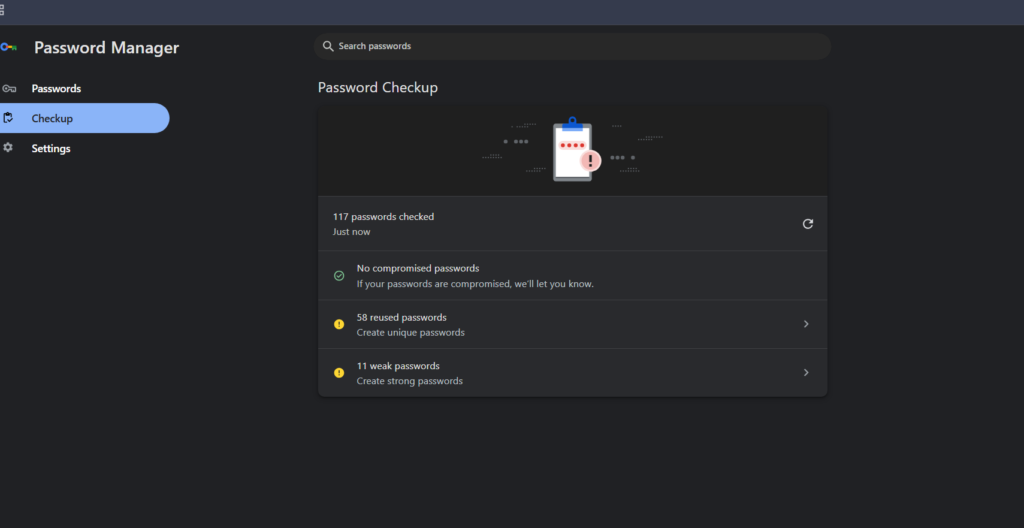
- Step 1: Open Chrome and click the three dots (⋮) in the top right corner.
- Step 2: Go to Settings → Autofill and passwords → Google Password Manager.
- Step 3: Click “Password Checkup” or “Check passwords.”
Chrome will scan all your saved passwords and show you:
- Compromised passwords (found in known data breaches)
- Reused passwords (same password across multiple sites)
- Weak passwords (easy to guess)
For iPhone/Safari Users
- Step 1: Open Settings on your iPhone.
- Step 2: Tap Passwords.
- Step 3: Look at Security Recommendations at the top.
Safari will flag:
- Passwords that appeared in data leaks
- Passwords you’ve used on multiple websites
- Weak or easily guessed passwords
Why This Matters More Than Email Checks
Here’s the critical difference:
HaveIBeenPwned tells you if your email was in a breach.
Your browser tells you if your actual password was stolen.
If you see a warning here, hackers have your current password right now. They can log into your accounts today.
This is urgent.
👉 If you found compromised passwords: Stop reading. Change these passwords immediately using our emergency protocol
Step 3: The Manual Inbox Search Method
The Manual Forensic Method
HaveIBeenPwned is excellent. But it’s not perfect. It only includes publicly disclosed breaches.
Some companies never disclose breaches publicly. Some take years to admit what happened.
But they’re legally required to email you when your data leaks. Most people miss these emails.
Let’s find them.
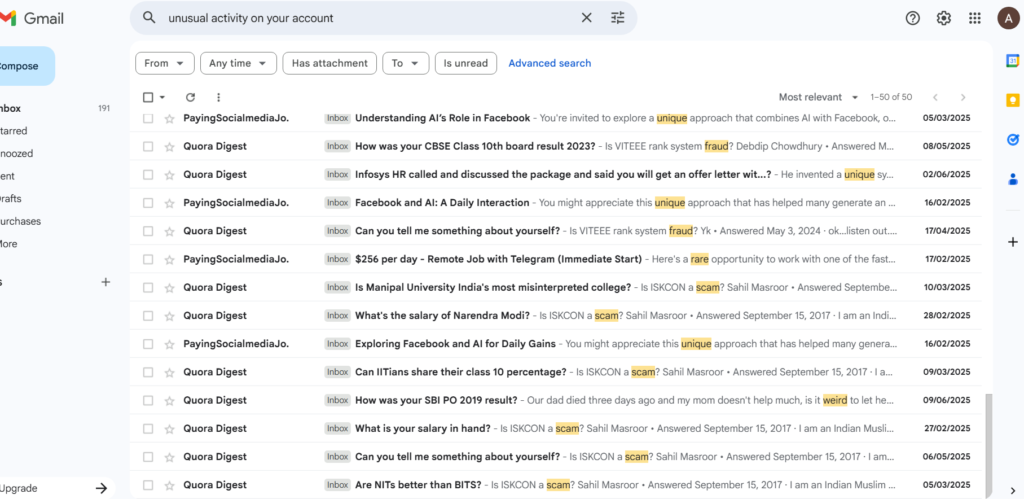
Gmail Search Queries
Open Gmail and search for these exact phrases (include the quotation marks):
Search 1: "Notice of Data Breach"
Search 2: "Security Incident"
Search 3: "Unauthorized access to your account"
Search 4: "We are writing to inform you"
Search 5: "unusual activity on your account"
What You’re Looking For
Legitimate breach notifications usually include:
- The date the breach occurred
- What data was compromised
- What the company is doing about it
- Steps you should take (usually “change your password”)
The Uncomfortable Truth
If you find an email from 2 years ago about a breach, here’s what happened:
That company leaked your data. They sent you an email. You missed it or ignored it. Your data has been on criminal forums for 2 years. It’s been sold and resold dozens of times.
Criminals have been using it. You just didn’t notice yet.
This is why checking once isn’t enough. Breaches happen constantly.
How to Interpret Your Results
You’ve checked HaveIBeenPwned and scanned your browser also searched your inbox.
Now what?
Your next steps depend on what you found.
🔴 Scenario A: “I Found a Password Leak”
Verdict: Critical danger. Hackers can log into your accounts right now.
What This Means:
- Someone has your current password
- They can access your email, banking, social media
- They can reset passwords for other accounts
- They can lock you out completely
Immediate Action Required:
- Change the compromised password immediately
- Change it on every site where you used the same password
- Enable two-factor authentication everywhere
- Check your accounts for unauthorized activity
👉 Execute the Emergency Password Reset Protocol
🔴 Scenario B: “I Found a Social Security Number / Financial Data Leak”
Verdict: Critical identity threat. Identity theft is imminent or already happening.
What This Means:
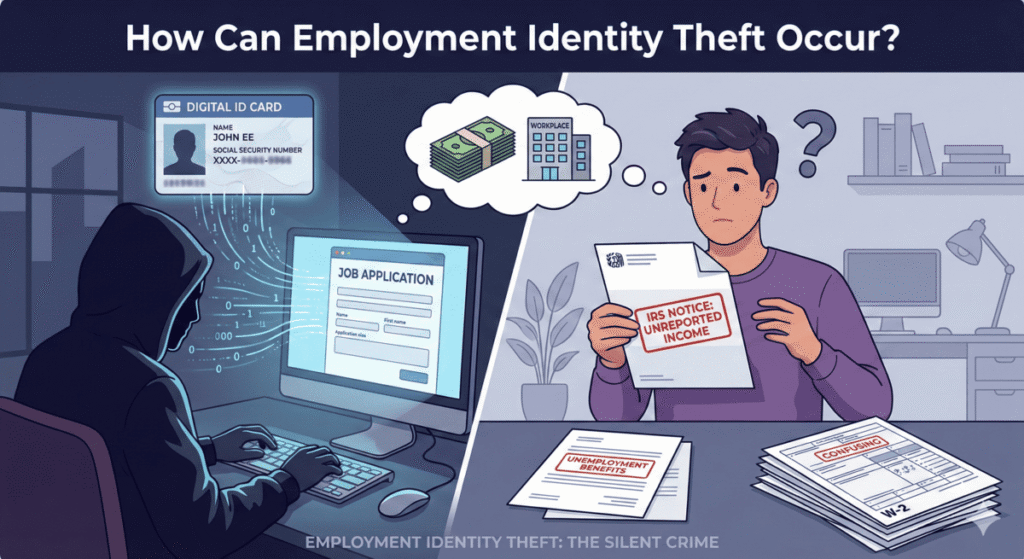
- Criminals can file tax returns in your name
- They can open credit cards you won’t know about
- They can take out loans against your identity
- They can access your medical records
Immediate Action Required:
- Freeze your credit with all three bureaus (today)
- File a report with the FTC
- Set up fraud alerts
- Monitor your credit reports monthly
- Consider identity theft protection services
👉 Activate the Financial Defense Protocol (Phase 1)
🟡 Scenario C: “I Found My Email or Phone Number in Breaches”
Verdict: Moderate to high risk. Your contact information is in spam databases.
What This Means:
- You’ll receive more phishing emails and text messages
- Scammers will use your info for credential stuffing
- Your email/phone is paired with old passwords hackers will try everywhere
- You’re more likely to be targeted for scams
- If phone number leaked: You’re at risk for SIM swapping attacks
Immediate Action Required:
- Change passwords on all major accounts
- Use unique passwords for each site
- Enable email alias services for new signups
- Use spam filters aggressively
- If phone leaked: Contact your carrier and add a PIN/passcode to your account
👉 Build Email and Phone Defense Layers
🟢 Scenario D: “I Found Nothing”
Verdict: False security. This doesn’t mean you’re safe.
Why “Nothing” Doesn’t Mean Safe:
- New breaches are disclosed daily
- Some breaches take years to surface publicly
- You might be in an undisclosed breach right now
- Future breaches are guaranteed
What You Should Do: Don’t wait until you’re breached. Build defenses now while you have time.
The best time to fix a roof is before it rains.
👉 Build Preventive Digital Defenses
What Happens If You Do Nothing?
Let’s be honest about what “later” looks like:
- Week 1: Nothing happens. You feel fine. You forget about this.
- Month 3: Your email gets 50 spam messages a day. You ignore them.
- Month 6: Someone files a tax return in your name. The IRS rejects your real return.
- Month 12: You discover three credit cards you never opened. Collections agencies are calling.
- Year 2: Your credit score is destroyed. You can’t get a car loan. You can’t rent an apartment.
- Year 5: You’re still fighting to prove your identity. The fraud never stops.
This is the pattern. This is what happens to people who ignore data breaches.
Don’t let this be your story.
Take Control Today
You have three options:
- Option 1: Hope
- Hope criminals pick someone else. Hope your data stays buried in the database. Hope you get lucky. Most people choose this option. Most people eventually regret it.
- Option 2: Panic
- Feel overwhelmed. Close this page. Pretend it’s not real. Deal with it when something bad happens. This is the second most common choice. It’s slightly worse than hoping.
- Option 3: Act
- Spend 30 minutes today building basic defenses. Spend 30 minutes next week improving them. Gradually become a harder target than 95% of people.
This is the only option that actually works.
Your Next Steps (Start Here)
If you found breaches:
👉 Step 1: Read our complete breakdown of The 50 Biggest Data Leaks and what they mean for you
👉 Step 2: Follow our Complete Digital Defense Strategy
If you found nothing:
Don’t wait for the breach to happen. Build defenses while you have time.
How Often Should You Check?
Minimum: Every 6 months.
Recommended: Quarterly (every 3 months).
Paranoid (but smart): Monthly.
Set a calendar reminder. Make it recurring. Check HaveIBeenPwned, browser and your inbox.
New breaches happen every week. Staying informed is part of staying safe.
Bookmark this page. Come back regularly.
Final Reminder
The companies holding your data will be breached. Not “might be.” Will be.
You cannot prevent that. But you can prepare for it.
You can freeze your credit before identity thieves strike and use unique passwords before credential stuffing attacks work and also enable two-factor authentication before account takeovers happen.
Defense is easier than recovery.
Start today
Last Updated: January 2026
Bookmark this page and check back quarterly for new breach alerts.
Found this guide helpful? Share it with someone who needs it. Data breaches affect everyone. Protection should too.
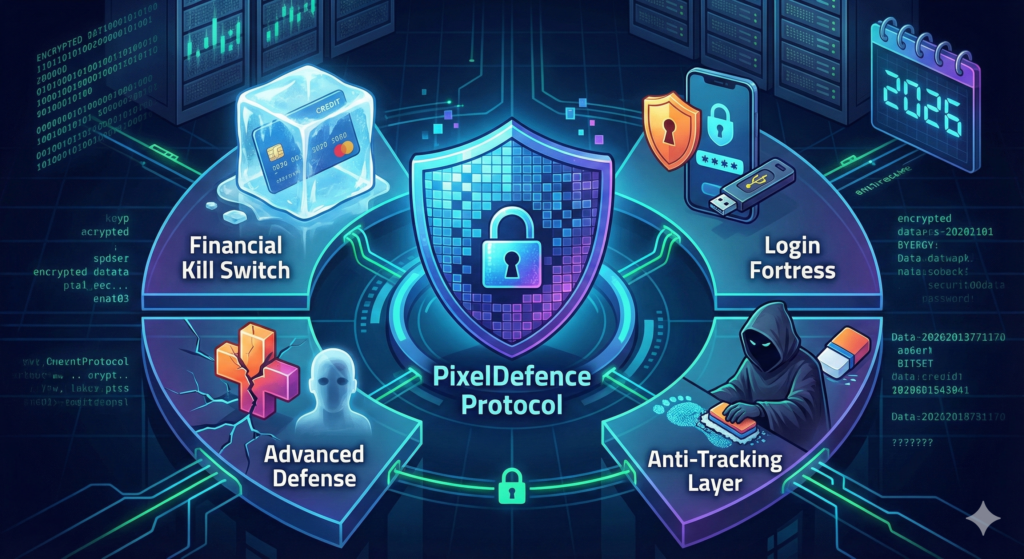
Pingback: The Pixel Defence Protocol: How to Bulletproof Your Identity in 2026