Stop assuming you know how to prevent identity theft. Chances are your data has already been leaked
If you are reading this, your data is probably already circulating on the dark web. Between the massive National Public Data Leak and the [Equifax Breach], your Social Security Number is a public commodity.
Most people ask how to prevent identity theft, but they focus on the wrong things. They pick “strong passwords” but leave their credit files wide open. This guide will show you the real defense strategy.
Most security advice is outdated. They tell you to “pick a strong password” and “be careful what you click.” That is not enough anymore. You cannot prevent a corporation like AT&T or Facebook from losing your data on a server you don’t control.
You need a new strategy: Defense in Depth.
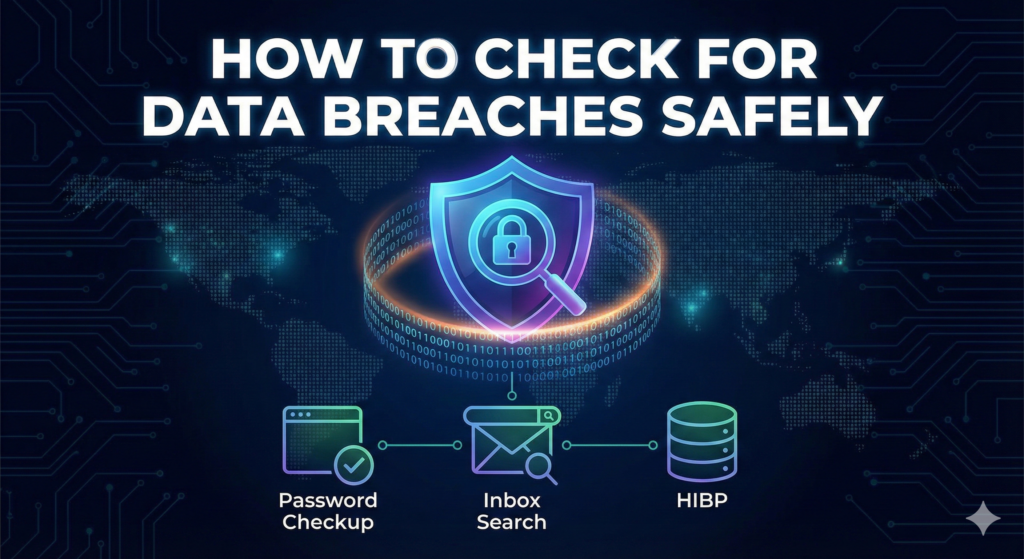
Unsure if you are actually at risk? Before you start locking down your accounts, you can verify your status. Read our guide on how to check for data breaches safely to see exactly which of your passwords or data points have been exposed.
This guide isn’t about prevention (which is impossible); it’s about mitigation. We are going to build layers of defense around your identity so that even when hackers steal your data, they can’t use it.
Note: This protocol stops financial and credential abuse. It cannot undo the exposure of immutable data like biometrics or private correspondence. For those specific threats, see our specific Deep Dive articles
Can Identity Theft Really Be Prevented?
Short answer: No — not completely.
No app or antivirus can fully teach you how to prevent identity theft if a company like AT&T loses your data on their server.
If a state-sponsored hacker wants to target you, or if a company like Equifax loses your data, you cannot stop it. No app, VPN, or antivirus can “prevent” a server breach at a company you don’t own.
However, while you cannot prevent the breach, you CAN prevent the damage. The goal of this protocol is to make identity theft unprofitable, detectable, and reversible.
The goal of the PixelDefence Protocol is not to stop the breach (which is impossible) but to make the stolen data useless.
- You can’t prevent thieves from stealing your SSN.
- You CAN prevent them from using it to get a loan (by Freezing Credit).
- You can’t prevent your password from leaking.
- You CAN prevent them from logging in (by using 2FA).
We focus on making identity theft unprofitable, detectable, and reversible.
The Financial “Kill Switch” (Do This First)
If you take only one step from this entire guide, make it this one.
Most people rely on “Credit Monitoring” services (like LifeLock or Credit Karma). This is a mistake. Monitoring is reactive—it tells you after a criminal has already taken out a loan in your name.
You need to be proactive. You need the “Nuclear Option.”
Freeze Your Credit Files (The “Big 3”)
A “Credit Freeze” (or Security Freeze) locks your credit file completely. Even if a hacker has your name, address, and Social Security Number, they cannot open a new credit card or take out a mortgage in your name because the bank cannot check your score.
The Rules of the Freeze:
- It is free. (Federal law mandates this).
- It does not lower your credit score.
- You can “thaw” it instantly. If you need to buy a car, you can unlock it for 24 hours via an app.
Action Step: Freeze All Three Bureaus Now You must do this for all three. Freezing just one is useless.
- Equifax: [ Equifax Freeze Page]
- Experian: [ Experian Freeze Page]
- TransUnion: [TransUnion Freeze Page]
(Note: You will need to create a PIN or an account. Store these logins in your Password Manager immediately.)
The “Hidden” Freeze (ChexSystems)
Most security guides forget this step. That is why they are incomplete.
The “Big 3” cover credit cards. ChexSystems covers bank accounts. If a hacker wants to open a fake checking account in your name to launder money, they don’t check Equifax—they check ChexSystems. If you don’t freeze this, you are still vulnerable to banking fraud.
- Action Step: Go to the ChexSystems Security Freeze page and lock your banking identity.
- Link: [ ChexSystems Official Site]
The Login Fortress (Credential Hygiene)
Your password is the only thing standing between a hacker and your digital life. If you reuse the same password for Netflix and your bank, you are already compromised.
Kill the “One Password” Habit
Hackers use a technique called “Credential Stuffing.” They take a password leaked from an old site (like MySpace) and try it on every major service (Gmail, Amazon, PayPal).
The Fix: You must use a Password Manager (like Bitwarden or 1Password). It generates 20-character nonsense passwords for every site. You only need to remember one “Master Password.”
Upgrade Your 2FA (Stop Using SMS)
Text message (SMS) verification is weak. Hackers use “SIM Swapping” to steal your phone number and intercept your login codes.
The Fix: Switch to an Authenticator App (Google Authenticator, Authy, or Ente Auth). These generate codes on your device, making them impossible to intercept via SIM swap.
Advanced Defense (Medical & Synthetic Theft)
Most people only worry about credit cards, but identity thieves have evolved. Here is how to stop the complex attacks.
How to Prevent Medical Identity Theft
Medical ID theft is harder to fix than financial theft. If a criminal uses your insurance for surgery, their blood type and medical history get mixed with yours. This can be deadly in an emergency.
The Protocol:
- Read every EOB (Explanation of Benefits): Do not throw away that “This is not a bill” letter from your insurer. Read it. If you see a doctor visit you didn’t make, report it immediately.
- Check your MIB Report: Just like credit bureaus, the Medical Information Bureau (MIB) keeps a file on you. Request your free report annually to check for medical errors.
- How to Prevent Synthetic Identity Theft
Synthetic Identity Theft is when hackers combine real data (your SSN) with fake data (a new name/address) to create a “Frankenstein” person. They build credit for this fake person for years before busting out.
The Protocol:
- The Credit Freeze (Again): The only way to stop synthetic fraud is the Phase 1 Credit Freeze we discussed earlier. If the file is frozen, they cannot create a “Frankenstein” profile attached to your SSN.
How to Prevent Identity Theft of a Deceased Person
Identity thieves love obituaries. They steal the identities of the recently deceased to open accounts before the banks know they are gone (“Ghosting”).
The Protocol:
- Send Death Certificates Fast: Send certified copies to all 3 credit bureaus immediately after a death in the family. Ask them to flag the file as “Deceased – Do Not Issue Credit.”
The “Anti-Tracking” Layer (Stop Leaking Data)
Preventing a breach doesn’t matter if you are handing your data to Facebook and Google voluntarily.
Use Email Masking
Never give a random app your real email address again. If that app gets hacked, your real email is exposed.
The Fix: Use “Burner Emails.”
- Apple Users: Use “Hide My Email.”
- Android/PC: Use SimpleLogin or AnonAddy. These services forward mail to your real inbox, but you can delete the alias if it starts getting spam.
Delete Yourself from Data Broker Lists
Companies like Whitepages, Spokeo, and PeopleFinder sell your home address and phone number legally. This is often how stalkers or scammers find you.
The Fix:
- Manual Way: Go to each site and find the “Opt Out” footer. (Free, but takes hours).
- Automated Way: Use a removal service like Incogni or DeleteMe to scrub your name from hundreds of databases automatically.
Conclusion: The Yearly Maintenance Checklist
Security is not a “set it and forget it” task. Set a calendar reminder once a year to run this checklist:
- Check Breaches: Don’t rely on guesswork. Use our guide on how to check for data breaches to scan your email and phone number for new leaks.
- [ ] Verify Freezes: Log into Equifax, Experian, and TransUnion to ensure your freeze is still active.
- [ ] Rotate Banking Passwords: Change the passwords for your primary financial accounts.
- [ ] Review MIB Report: Check your medical history file.
- [ ] Check ChexSystems freeze
- [ ] Review password manager health report
- [ ] Review carrier account PIN
Don’t wait to be a victim. The best time to freeze your credit was yesterday. The second best time is right now.
Pingback: WhatsApp Metadata Leak: Why Encryption Won't Save You (2025) - Pixel Defence
Pingback: Stop Facebook Tracking: How Meta Spies Offline & How to Block It