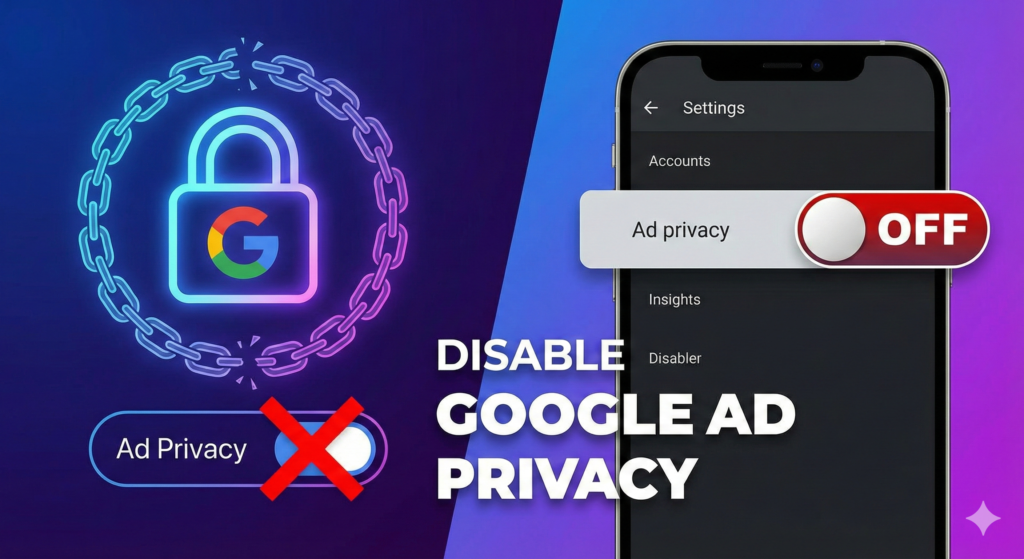
You visited a website once. You didn’t buy anything. You may have barely looked at the product.
But now that ad — that exact product, sometimes that exact image — is following you around the internet like a shadow. Instagram. A news site. A weather app. Even YouTube.
This isn’t random. This is retargeting, and it is one of the most precisely engineered systems in modern advertising.
I’m Rock from Pixel Defence, and I’m going to show you exactly Why You Keep Seeing the Same Ads Again and Again and exactly how to make it stop.
Why You See the Same Ads After Visiting a Website
The moment you land on almost any commercial website, something fires in the background before you’ve even read a word of content.
A site-wide tracking tag — either a Google Ads remarketing tag or a Meta Pixel — executes a script that drops a third-party cookie into your browser. That cookie records the event: “this user viewed product X.” It ties that event to your anonymous user ID.
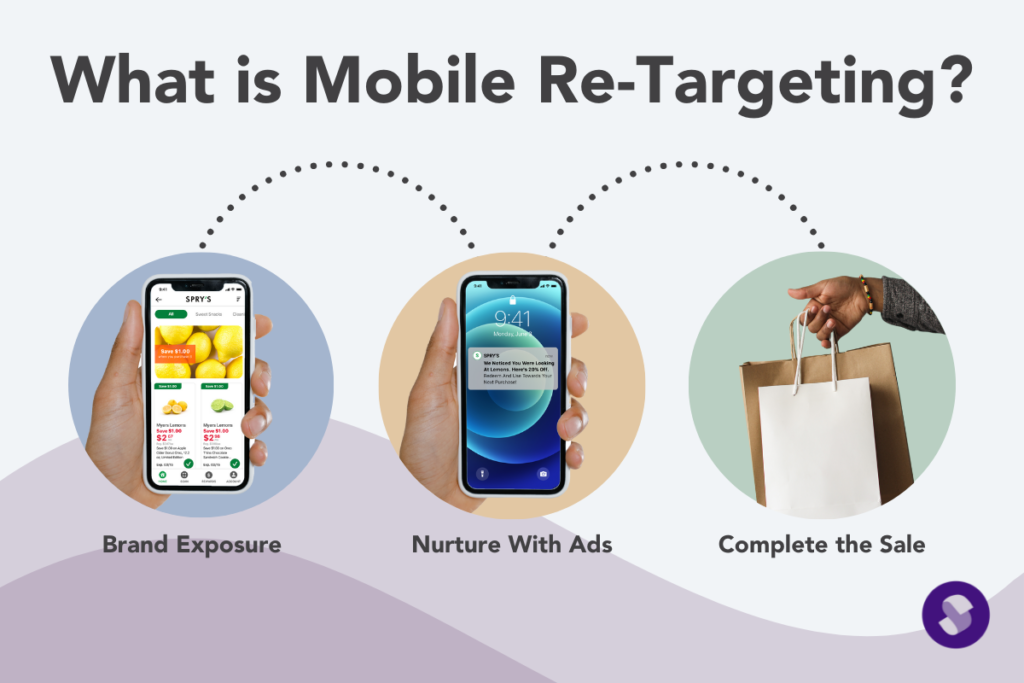
The advertiser’s system then creates a retargeting audience segment from everyone who triggered that event — say, “all users who viewed product X in the last 30 days.” That audience segment is then pushed into active ad campaigns.
From that point on, every time you visit a site in the Google Display Network or open Facebook or Instagram (both Meta-owned), the ad system matches your cookie to the audience segment and fires the same ad creative at you.
With dynamic retargeting, it doesn’t even serve a generic ad — it pulls the exact product image, name, and price from the advertiser’s product feed and builds a personalised ad just for you, automatically.
Retargeted ads have a click-through rate of 0.7–1.2% (2024–2026), compared to just 0.07% for standard display ads. The industry built this system because it works.
What Are Retargeting Ads and How They Work
Let me walk you through the full sequence so you can see exactly how the machine operates.
- You visit a website — a product page, a homepage, a category page.
- A small script (the retargeting tag) runs silently in your browser and attaches your anonymous user ID to your browser storage.
- The advertiser defines a retargeting audience: for example, “everyone who viewed product X within the last 30 days.”
- When you later visit any of the millions of sites and apps connected to that ad network, the network matches your ID to the audience segment and serves you the same ad creative.
- This continues until the audience window expires — typically 30, 60, or 90 days depending on how the advertiser has configured the campaign.
You are never told this is happening. There is no notification. The tag fires, the cookie drops, and the campaign begins — all in milliseconds, all invisibly.
How Cookies Track You for Ads Retargeting
The cookie is the core mechanism, and it’s worth understanding exactly how it functions across visits.
On your first visit to a site, the retargeting tag loads and your browser stores a third-party cookie. That cookie contains your anonymous ID and logs what you looked at — the product, the category, how long you stayed.
On every subsequent visit to any site on the same ad network, your browser automatically sends that cookie back to the ad server. The ad server reads the ID, checks the audience segment you belong to, and serves the appropriate ad. This handshake happens instantly, before the page has even finished loading.
Ad networks keep these cookies active for anywhere from a few days to several months. Modern systems have evolved beyond just cookies too. Google’s Privacy Sandbox uses on-device machine learning to group users into interest cohorts (without the cookie). And on mobile, device-level advertising IDs — Google’s GAID on Android and Apple’s AAID equivalent on iOS — perform the same function as cookies but at the operating-system level, persisting even if you clear your browser entirely.
This is why clearing your browser cookies alone doesn’t always stop the ads. The tracking has multiple fallback layers.
Why Ads Repeat Across Different Apps and Websites

The same ad appearing on completely unrelated platforms — a shopping app, a sports news site, a music streaming service — is not a coincidence or a glitch. It’s by design.
A single Google Ads account can push one audience segment simultaneously to:
- Google Display Network campaigns (millions of websites)
- YouTube pre-roll and mid-roll ads
- Gmail sponsored inbox placements
- Google Discover feed ads
A single Meta Pixel builds custom audiences that run across:
- Facebook feed and stories
- Instagram feed and Reels
- Meta Audience Network (thousands of third-party apps)
The advertiser defines the segment once. The platforms do the rest — broadcasting that segment across their entire ecosystem simultaneously. This is why the same ad feels like it’s literally everywhere. Because for the platforms those advertisers use, it effectively is.
How This Connects to Ads Following You Everywhere
Retargeting is not an isolated phenomenon — it’s one component of a much larger tracking infrastructure.
One tracking action on one website creates a retargeting audience ID, stored in your cookies or your device’s advertising ID.
That ID is then broadcast across the ad network’s entire ecosystem — which may include hundreds of thousands of sites and apps.
And because most advertisers run campaigns on multiple networks simultaneously (Google and Meta, for example), a single product search can trigger overlapping retargeting campaigns from multiple companies at the same time.
This is what makes it feel inescapable. It’s not one company following you. It’s several, all acting on the same initial signal.
👉 If you want the full picture of every tracking method being used on you — pixels, cookies, fingerprinting, and cross-platform ID graphs — my pillar post Why Ads Follow You Everywhere (And How to Stop It) covers the entire system end to end.
How to Stop Seeing the Same Ads Again and Again
You have more control than the ad industry would like you to think. Here’s how to use it.
Clear and Block Third-Party Cookies
- Chrome / Edge: Settings → Privacy and Security → Cookies → Block third-party cookies
- Firefox: Settings → Privacy & Security → Strict Enhanced Tracking Protection
- Safari: Prevent Cross-Site Tracking is enabled by default — leave it on
Reset Your Mobile Advertising ID
- Android: Settings → Google → Ads → Reset Advertising ID (do this regularly)
- iOS: Settings → Privacy & Security → Tracking → Disable “Allow Apps to Request to Track”
Install These Tools
- uBlock Origin — The most effective tracker and ad blocker available. Free, open-source, and essential.
- Privacy Badger — EFF-backed, learns to block invisible trackers over time.
- Cookie AutoDelete — Automatically clears cookies from sites you’re no longer visiting.
Use Platform-Level Opt-Outs
- Google: Visit
adssettings.google.comand turn off Ad Personalisation - Meta: Go to Settings → Ad Preferences → Ads Based on Data from Partners → Turn off
Use Private Browsing for Sensitive Shopping When you’re researching products you don’t want to be retargeted for, use a private/incognito window. It prevents cookies from persisting after the session ends — though it doesn’t stop fingerprinting, so pairing it with uBlock Origin is ideal.
No single step eliminates retargeting completely. But layering these measures significantly reduces how much data reaches the ad networks in the first place — and limits their ability to track you across sites even when they try.
Final Thoughts on Repeated Ads
Retargeting feels personal because it is. It uses real data about your real behaviour — where you went, what you looked at, how long you stayed — to follow you across the internet with engineered precision.
The ad industry frames this as “relevance.” But there’s a meaningful difference between an ad being relevant and an ad surveilling your browsing sessions without your informed consent.
Understanding the mechanism is the first step. Now you know exactly what fires when you visit a site, exactly how that cookie travels with you, and exactly why the same ad appears on a completely unrelated platform twenty minutes later.
Use the tools. Adjust the settings. Reset your IDs. Every barrier you put between your data and the ad networks is a small act of reclaiming your privacy — and they add up.
At Pixel Defence, we believe you should be in control of your own digital life. Start today.