Most people have experienced this exact frustration: You need to send someone a file right now. You search for without signup private file sharing options because you don’t want to register for yet another cloud storage account, hand over your personal email address, or have your document sitting in a Google Drive or Dropbox folder forever.
When searching for a quick tool for file sharing online, there is a critical privacy trap that most listicles ignore: No signup does not automatically mean private or anonymous. Finding reliable file sharing sites that actually respect your data requires looking under the hood. (If you prefer tools that operate without account registration, also check out my hands-on test of the 10 best AI image generators without login to generate artwork privately).
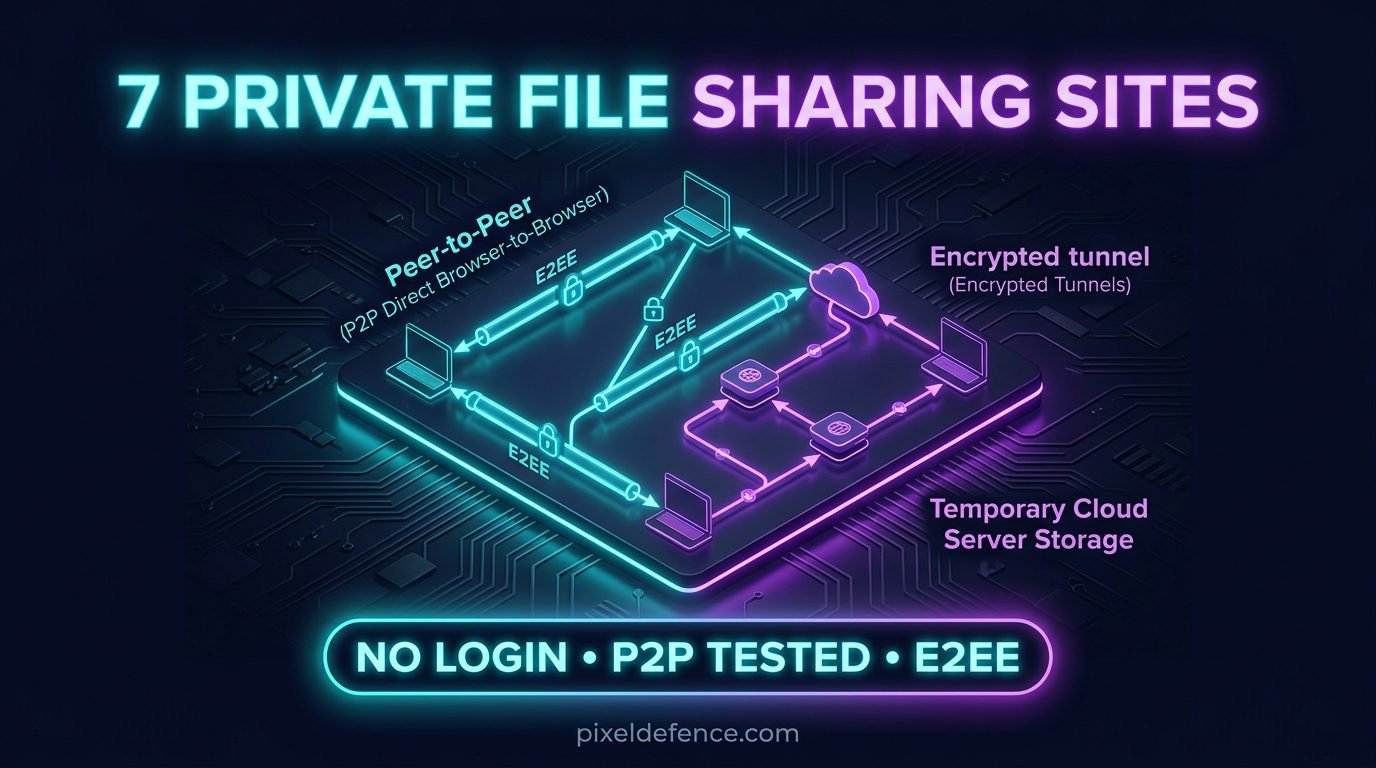
I’m Rock, founder of Pixel Defence. To separate marketing fluff from real security, I audited 7 popular options for without login file sharing based on actual network traffic, WebRTC behavior, server retention, and encryption models. When it comes to true private file sharing, some services store your files on cloud servers for days where they can theoretically be scanned or logged. Others establish direct peer-to-peer (P2P) tunnels between browser tabs so your file never touches a server at all.
Quick Comparison: 7 Best No-Login File Sharing Sites
| Service | Free Size Limit | Architecture | Encryption Type | Password Option | Retention / Expiration | Best For |
|---|---|---|---|---|---|---|
| Wormhole | 5 GB (Server) / Unlimited (P2P) | Hybrid (Server <5GB, P2P >5GB) | Client-Side E2EE (128-bit AES-GCM) | No | 24 hours or download cap | Best Overall Temporary Sharing |
| Transfer.zip | No Limit (Quick Transfer) | Pure P2P (WebRTC) | Client-Side E2EE (256-bit AES-GCM) | No | Active Browser Tab Only | Best for Massive Files Browser-to-Browser |
| SendFileOnline | 1 GB Free (5 transfers/wk) | Server Storage / Optional P2P | TLS in Transit / AES-256 at Rest | Pro Tier Only | 7 Days (Free) / 30 Days (Pro) | Best for Share Code Links |
| TransferMyFile | No Limit | Direct Device-to-Device (WebRTC) | DTLS / WebRTC Tunnel | No | Active Session Only | Best for Quick Phone-to-PC Transfers |
| SendGB | 5 GB Free | Server Storage | Encrypted Server Storage | Yes (Free) | 7 Days (250MB–5GB) / 90 Days (<250MB) | Best Simple Option with Free Password |
| GoFile | No Strict Upload Cap | Temporary Cloud Hosting | TLS Transit (No Native E2EE) | Yes (Free) | ~10 Days of Inactivity | Best for Public Link Distribution |
| ToffeeShare | No Limit | Pure P2P (WebRTC) | Client-Side E2EE (DTLS 1.3) | No | Active Browser Tab Only | Best Direct Person-to-Person Sharing |
Core Privacy Breakdown: What Dictates True Private File Sharing?
Before choosing among popular file sharing sites, you need to understand the technical mechanics governing file privacy:
1. Server Storage vs. Peer-to-Peer (P2P) WebRTC
Server Storage: Your file is uploaded to a remote cloud server. The recipient downloads it later from that server. Risk: The server operator holds a physical copy of your file on disk and logs your IP address on upload. Peer-to-Peer (P2P): Your browser streams data directly to the recipient’s browser tab using WebRTC. Advantage: The file never lands on a server disk. Trade-off: Both parties must keep their browser tabs open during the transfer.
2. Zero-Knowledge E2EE vs. Standard Transport TLS
Standard HTTPS/TLS encrypts data while in transit between your browser and the server, but the server operator can still access unencrypted files on disk. True Zero-Knowledge End-to-End Encryption (E2EE) encrypts the file inside your browser before upload using a key embedded in the URL fragment (after the # symbol). Because browsers never send URL fragments to servers, the host can never decrypt your content.
3. No Account vs. True Anonymity
Using without login file sharing services protects your contact identity, but host servers still observe your IP address, browser hardware canvas fingerprint, timestamps, and file metadata. To inspect what your active browser leaks right now, run our client-side Data Leak Analyzer.
Hands-On Testing & Audits: 7 Best Private File Sharing Sites
1. Wormhole — Best Overall for Temporary Private Sharing
Wormhole is the gold standard for zero-knowledge temporary sharing. It encrypts files locally in your browser using 128-bit AES-GCM.
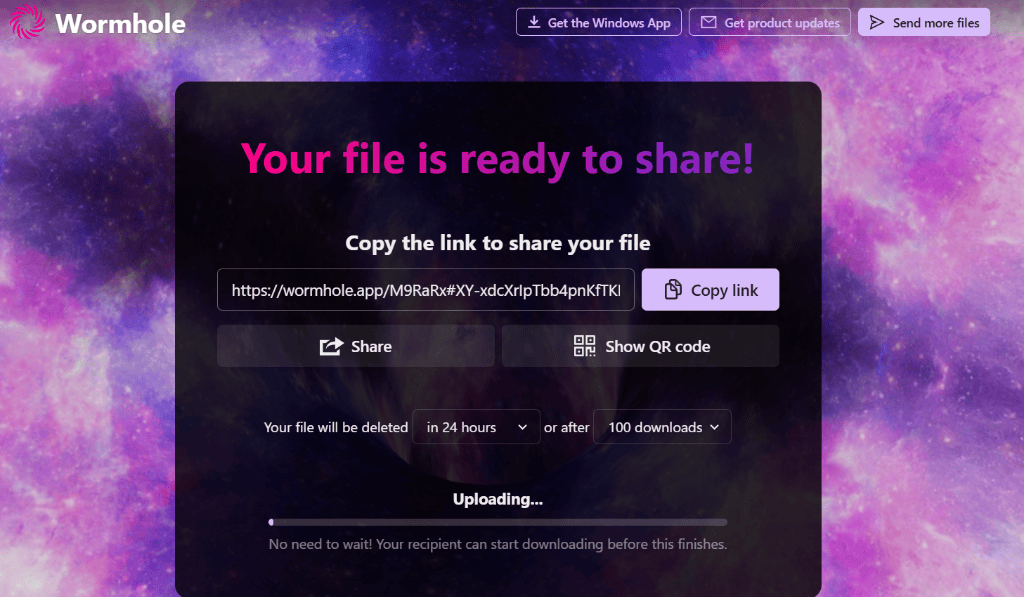
As shown in my test upload above, the generated share link places the decryption key inside the URL fragment: https://wormhole.app/M9RaRx#XY-xdcXrlpTbb4pnKfTKI. Wormhole’s servers never receive this key, keeping your data unreadable to the host.
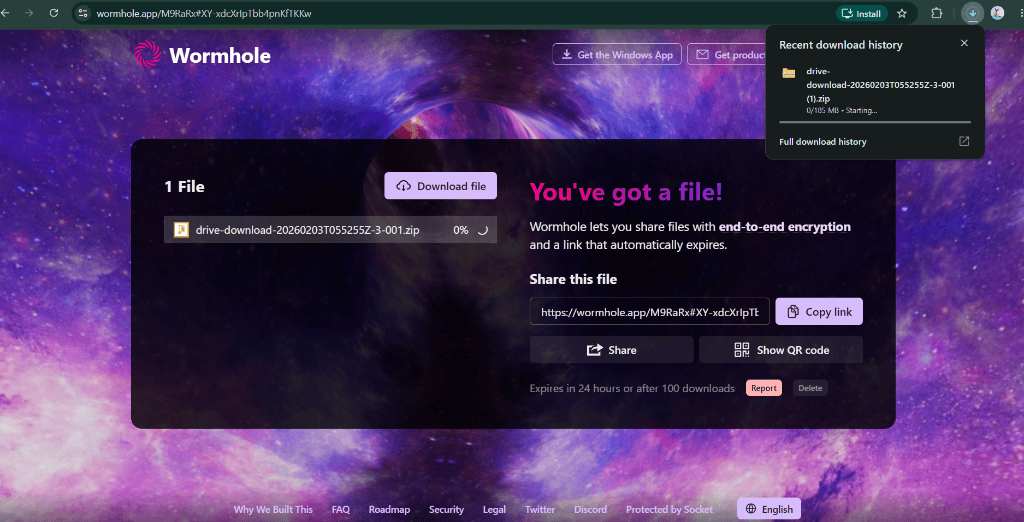
Files under 5 GB are stored in Wormhole’s encrypted server cache for 24 hours, allowing recipients to download even after you close your tab. Files over 5 GB automatically switch to live P2P transfer.
Pros & Cons of Wormhole
- Pros (Key Features): True client-side 128-bit AES-GCM E2EE; decryption key stored in URL fragment (`#`) so host servers remain blind; recipients can download files <5GB offline after tab closes; supports stream-downloading while upload is still progressing.
- Cons (Flaws): Files >5GB force active P2P transfers requiring an open browser tab; no custom password protection setting; maximum 24-hour retention window.
Why Choose Wormhole Over Others: Choose Wormhole over P2P tools (like Transfer.zip or ToffeeShare) when you require strict zero-knowledge end-to-end encryption for private file sharing but cannot guarantee that your computer or browser tab will remain open until the recipient finishes downloading.
2. Transfer.zip — Best for Massive Files Browser-to-Browser
Transfer.zip is an open-source tool built for pure peer-to-peer WebRTC transfers with 256-bit AES-GCM encryption.
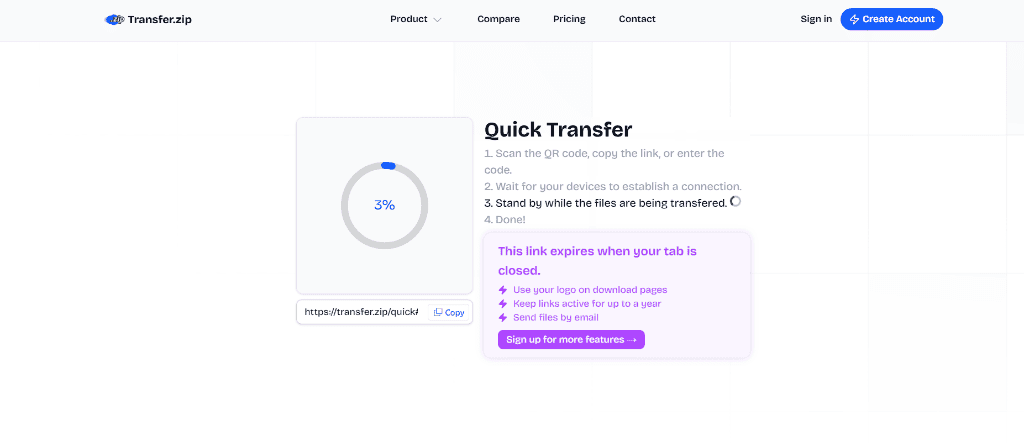
In Quick Transfer mode, data streams directly from sender browser to recipient browser without touching a cloud server. As highlighted in the test UI, Transfer.zip explicitly reminds users: “This link expires when your tab is closed.”
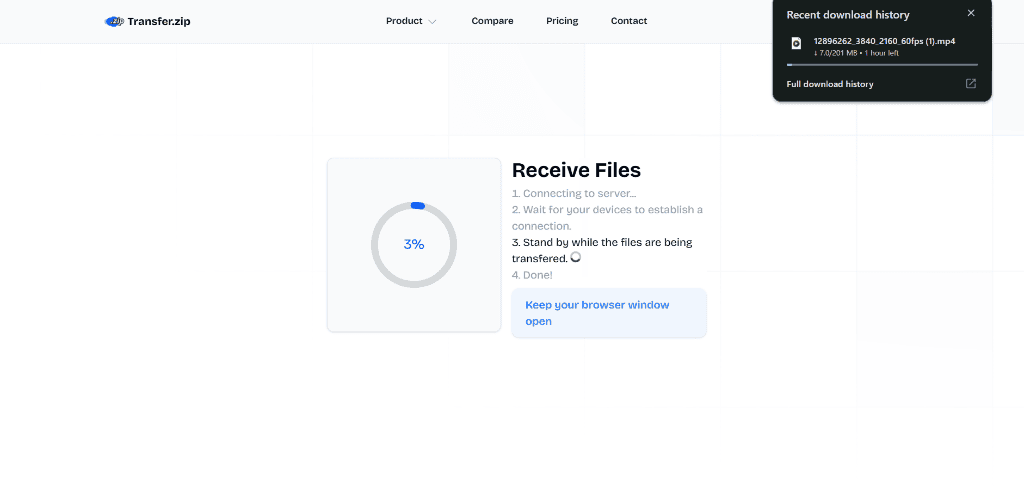
Because there are no server storage costs, Transfer.zip places no artificial caps on file size—making it perfect for transferring massive video files or database backups.
Pros & Cons of Transfer.zip
- Pros (Key Features): 100% open-source & peer-to-peer; zero server disk storage (files never land on cloud drives); unlimited file sizes and bandwidth; end-to-end 256-bit AES-GCM encryption.
- Cons (Flaws): Sender browser tab must stay open throughout the entire transfer; requires recipient to be online simultaneously; strict corporate firewalls/VPNs can block direct WebRTC connections without TURN relay.
Why Choose Transfer.zip Over Others: Choose Transfer.zip over server-hosted services (like SendGB or GoFile) when transferring giant 20GB+ files directly between devices without leaving any lingering file footprint on third-party cloud servers.
3. SendFileOnline — Best for Controlled Share Code Links
SendFileOnline focuses on rapid code-based sharing. Free users can upload up to 1 GB per file (5 transfers/week) with standard TLS and AES-256 server storage.
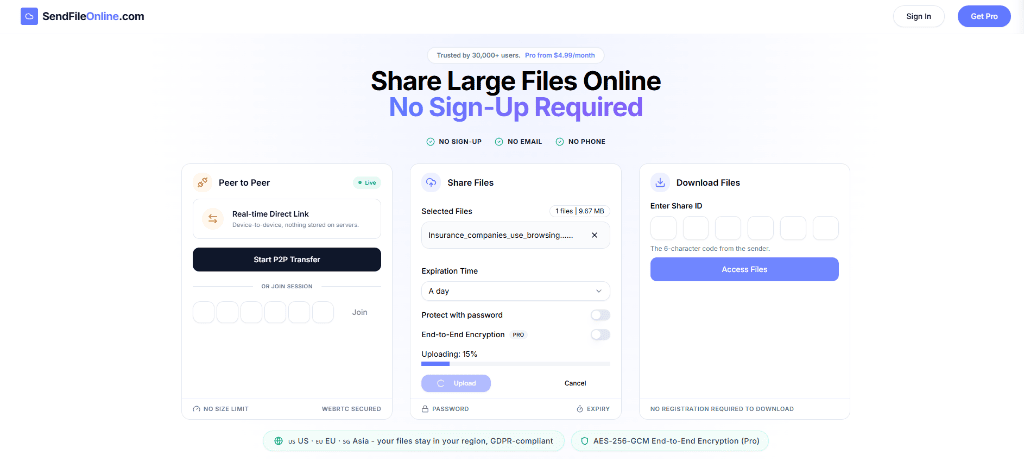
During testing, the upload panel clearly highlights the 1 GB free limit, expiration options, password toggle, and E2EE Pro requirement.
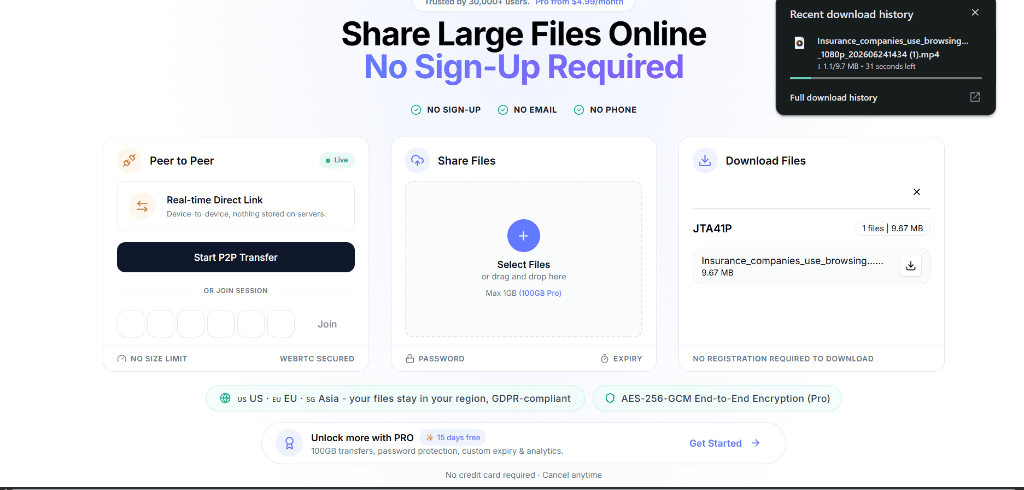
The recipient interface allows downloads via a simple 6-character code (such as JTA41P shown in my test). If you use the free server tier, pre-encrypt sensitive files locally before uploading.
Pros & Cons of SendFileOnline
- Pros (Key Features): Easy 6-digit Share Code distribution (ideal for mobile users without long URLs); regional server storage options (US/EU/Asia); supports both server storage and optional P2P mode.
- Cons (Flaws): Free tier capped at 1 GB per file and 5 transfers per week; password protection and true zero-knowledge E2EE are locked behind the $4.99/mo Pro plan; free uploads sit unencrypted on cloud servers.
Why Choose SendFileOnline Over Others: Choose SendFileOnline over Wormhole when you need recipients to retrieve files using a simple short code on mobile devices instead of long web URLs, provided your files are under 1 GB.
4. TransferMyFile — Best for Direct Device-to-Device Transfers
TransferMyFile provides instant P2P transfers between your own devices (e.g. iPhone to Windows PC) or people nearby using WebRTC pairing.
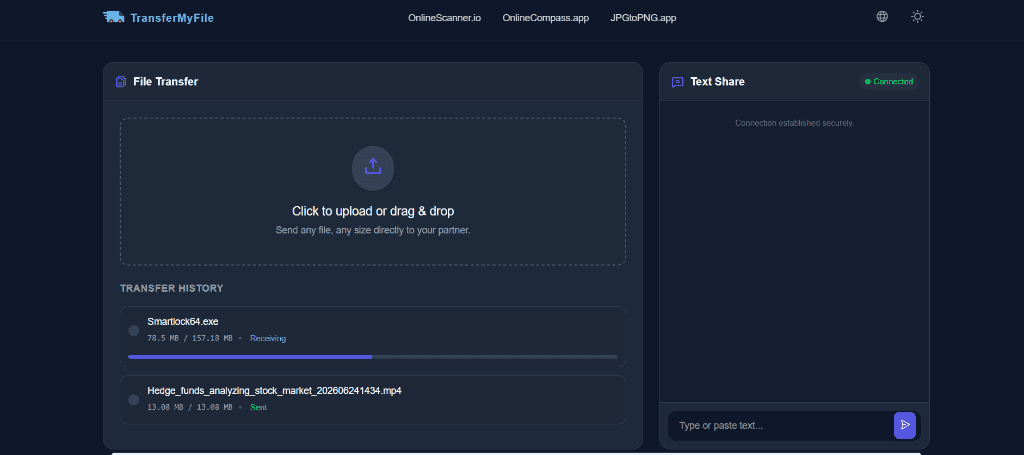
My test audit shows a clean transfer history alongside a built-in encrypted side-by-side text chat panel for sharing links or notes simultaneously.
Pros & Cons of TransferMyFile
- Pros (Key Features): Instant QR code and 6-digit ID pairing; built-in encrypted text share panel for copying credentials alongside files; zero account registration or file size limits; 100% P2P WebRTC data stream.
- Cons (Flaws): Requires active connections on both devices; network switching (e.g. Wi-Fi to mobile data) drops active transfers; no offline cloud link hosting.
Why Choose TransferMyFile Over Others: Choose TransferMyFile over ToffeeShare or Transfer.zip when quickly transferring media between your own local devices (like iPhone to PC) via QR code scan while copying passwords or notes in the same window.
5. SendGB — Best Simple Option with Free Password Protection
SendGB lets users send files up to 5 GB without registration, including free password protection.
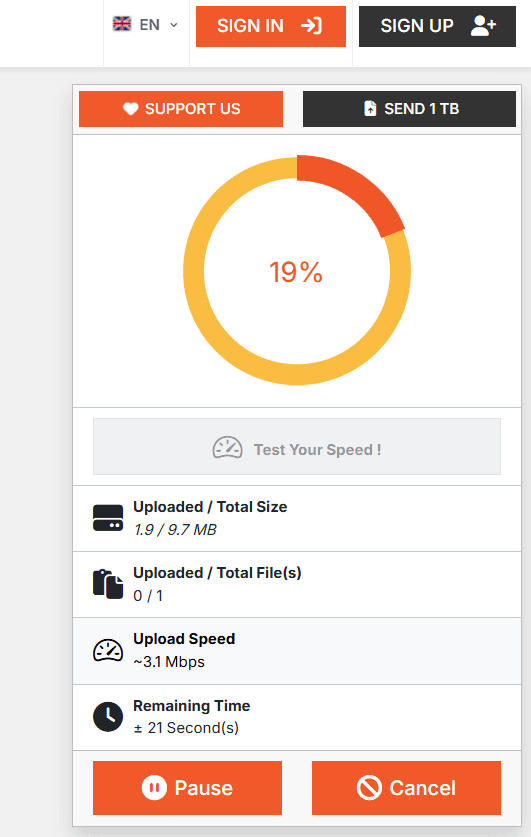
During my test upload of a 9.67 MB file, SendGB provided real-time upload speed monitoring (~3.1 Mbps).
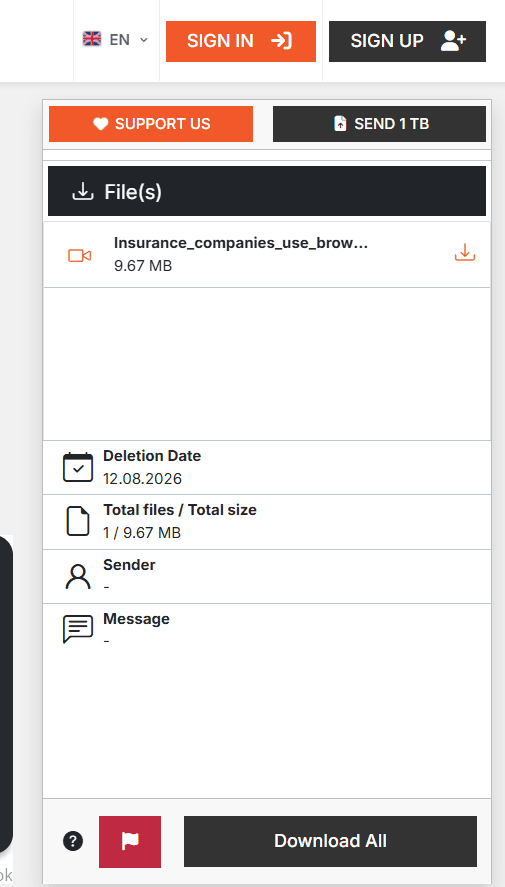
The recipient dashboard displays an explicit Deletion Date (set to 12.08.2026 in my test), confirms anonymous sender status (Sender: -), and provides a one-click download button.
Pros & Cons of SendGB
- Pros (Key Features): Generous 5 GB free file limit; 100% free password protection for all transfers; retains files up to 90 days for uploads under 250 MB; includes an option to delete immediately after download.
- Cons (Flaws): Server-based storage (files reside on European server disks); default 7-day expiration for files over 250 MB; ad-supported landing page interface.
Why Choose SendGB Over Others: Choose SendGB over SendFileOnline or GoFile when you need to send a 4 GB file protected by a custom password for free without upgrading to a paid subscription.
6. GoFile — Best Simple Temporary File Hosting
GoFile is a high-speed temporary file host. Uploaded files sit on GoFile cloud servers until auto-expiring after ~10 days of inactivity.
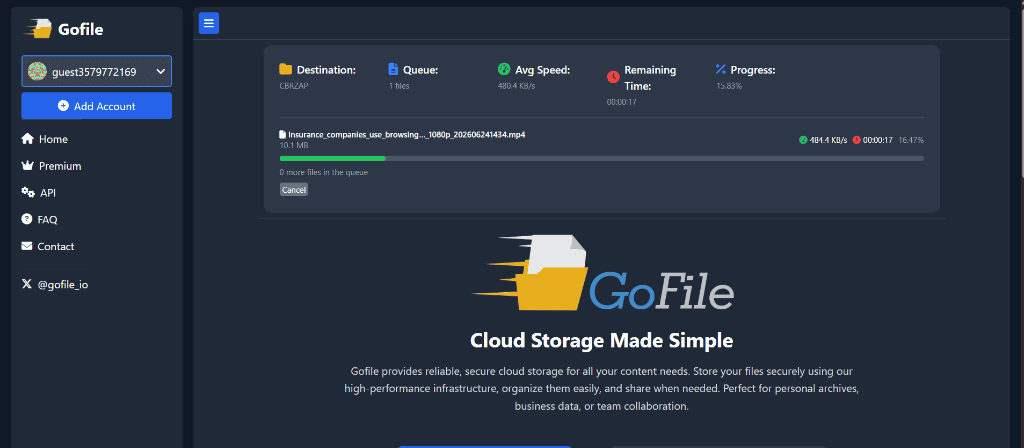
The “Streaming Player” Privacy Proof: During testing, I uploaded an MP4 video file. When opening the recipient download link, GoFile automatically rendered an active in-browser HTML5 video player playing the MP4 file inline.
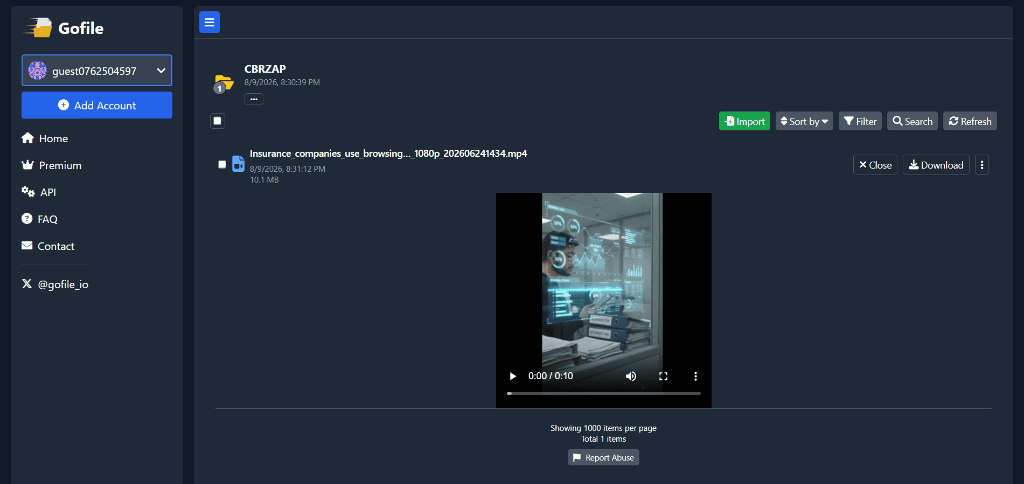
Critical Privacy Insight: The fact that GoFile’s servers transcode and render a video player preview directly inside the browser proves that GoFile servers process and read uploaded files on central storage disks. GoFile does NOT offer client-side end-to-end encryption (E2EE). Use it for public media distribution, not confidential personal documents.
Pros & Cons of GoFile
- Pros (Key Features): Ultra-fast upload/download speeds; no strict upload size cap for free guest users; in-browser HTML5 media streaming player; folder management & API support.
- Cons (Flaws): No client-side E2EE (servers read and transcode files on disk); files auto-delete after ~10 days of inactivity; unencrypted server-side vulnerability.
Why Choose GoFile Over Others: Choose GoFile over Wormhole or Transfer.zip when publicly sharing non-sensitive video clips or audio samples where fast browser playback and high bandwidth matter more than strict privacy.
7. ToffeeShare — Best for Direct Person-to-Person Sharing
ToffeeShare focuses entirely on private, direct peer-to-peer file transmission using WebRTC and DTLS 1.3 encryption.
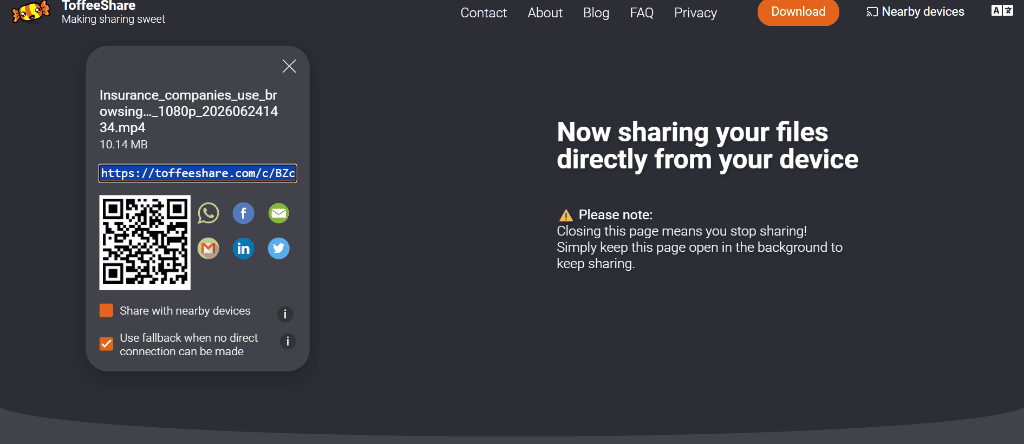
Testing ToffeeShare confirmed its true P2P model. The sender tab explicitly warns: ⚠️ Please note: Closing this page means you stop sharing! while generating QR codes and fallback toggles.
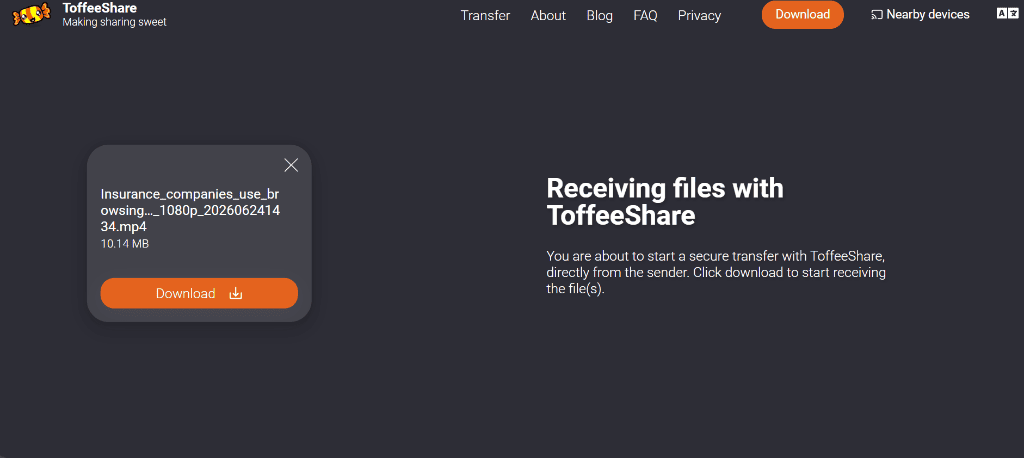
The recipient interface confirms a direct peer handshake: Receiving files with ToffeeShare — directly from the sender.
Pros & Cons of ToffeeShare
- Pros (Key Features): Dedicated WebRTC P2P direct streaming; DTLS 1.3 browser encryption; zero server storage (files never hit cloud disks); unlimited file transfer sizes; clean user interface.
- Cons (Flaws): Requires active browser tab on sender device; sensitive to strict VPNs or firewall NAT configurations; no offline link storage.
Why Choose ToffeeShare Over Others: Choose ToffeeShare over Wormhole or SendGB when sending sensitive personal documents directly to a recipient in real-time, ensuring zero bytes ever hit a cloud server disk.
Essential Pre-Sharing Security Checklist
Regardless of which service you choose, follow these four steps before sending any file online:
- Strip Hidden EXIF Metadata: Photos contain hidden GPS coordinates, timestamps, and camera IDs. Drag images into our free client-side Metadata Scrubber tool to wipe location data before sharing.
- Sanitize Filenames: Rename files from
John_Doe_Passport.pdfto generic strings likedoc.pdfto prevent plain-text server logging. - Pre-Encrypt Sensitive Archives: For financial or legal records, encrypt files locally with 7-Zip (AES-256) before uploading, and send the password separately via Signal.
- Audit Received Links: Before clicking shared links from unknown senders, run them through our static Link Checker Tool to inspect destination domains safely.
Red Flags: What Files You Should NEVER Send Online
Even with zero-knowledge encryption, free web services present an unnecessary risk for ultra-high-value assets. Never upload: unencrypted passport or driver’s license scans, crypto seed phrases, SSH private keys, or confidential banking credentials. For high-risk data, transfer files in person via encrypted USB drives or use self-hosted tools like OnionShare over Tor.
Frequently Asked Questions (FAQs)
Is file sharing without signup safe?
Services utilizing zero-knowledge client-side encryption (like Wormhole) or direct P2P transfers (like Transfer.zip and ToffeeShare) are very safe because your files never exist unencrypted on a server. Standard temporary cloud hosts without E2EE expose files to server logs.
What is the difference between P2P and cloud file sharing?
Cloud file sharing uploads your file to a remote server where it sits on disk until downloaded. P2P (Peer-to-Peer) sharing streams data directly from browser to browser using WebRTC, leaving zero footprint on server disks.
Can file sharing websites see my uploaded files?
If the service lacks client-side E2EE (such as GoFile), the host provider and infrastructure vendors can access stored files. Services with true E2EE (like Wormhole) encrypt data in your browser before upload, keeping host servers blind.
What is the best WeTransfer alternative without signup?
For files up to 5 GB with client-side E2EE, Wormhole is the top choice. For unlimited file sizes without server storage, Transfer.zip and ToffeeShare are best.
Final Verdict
Don’t select a file-sharing tool based solely on the words “no signup.” Instead, choose Wormhole for zero-knowledge temporary server links or Transfer.zip and ToffeeShare for direct WebRTC peer-to-peer transfers.
Before sending any sensitive file, remember to strip hidden location data with our Metadata Scrubber and audit suspicious site terms using our Privacy Policy Analyzer. Take control of your digital footprint today.