I use AI every single day to research, outline, and analyze massive amounts of data. It is a phenomenal tool that has fundamentally changed how I work.
But despite my heavy reliance on it, I never—under any circumstances—type anything into ChatGPT that I wouldn’t want a human stranger to read.
Why? Because the “delete” button on your screen is an illusion.
Millions of people are casually dumping sensitive work emails, undiagnosed medical questions, legal drafts, and deeply personal secrets into ChatGPT.
They assume that because they clicked a little trash can icon, or because they closed the browser tab, the data is gone forever. But I dug into OpenAI’s actual privacy policy and discovered the truth is far more alarming.
Your data isn’t gone. It’s sitting on a server, and depending on what you wrote, a third-party human contractor might be reading your “deleted” secrets right now.
If you have been wondering, does ChatGPT save conversations, the answer is an unequivocal yes. But the how and the why are what you really need to understand to protect yourself from corporate surveillance.
Table of Contents
Does ChatGPT save your conversations?
The short answer is yes. By default, ChatGPT saves your conversations. It does not just save them so you can view them later in your sidebar history; it saves them to train future versions of its massive AI models.
When you type a prompt into ChatGPT, that text is immediately ingested into OpenAI’s highly scalable cloud infrastructure. If you are on the free tier or the standard ChatGPT Plus subscription, your inputs are automatically flagged as training data.
This means the specific phrasing of your medical question, the proprietary code you pasted from your company’s repository, and the angry draft email to your boss are all being broken down, analyzed, and used to teach the next iteration of the AI how to speak and reason more like a human.
But the data harvesting goes significantly deeper than just algorithmic training. People assume that the relationship is strictly between them and a machine.
You type something in, the machine spits something out, and the transaction is complete. That is a dangerous assumption that strips away your digital privacy.
OpenAI has explicitly stated in their privacy documentation that they collect your chat history to improve the model. The problem is that “improving the model” is a remarkably broad umbrella term.
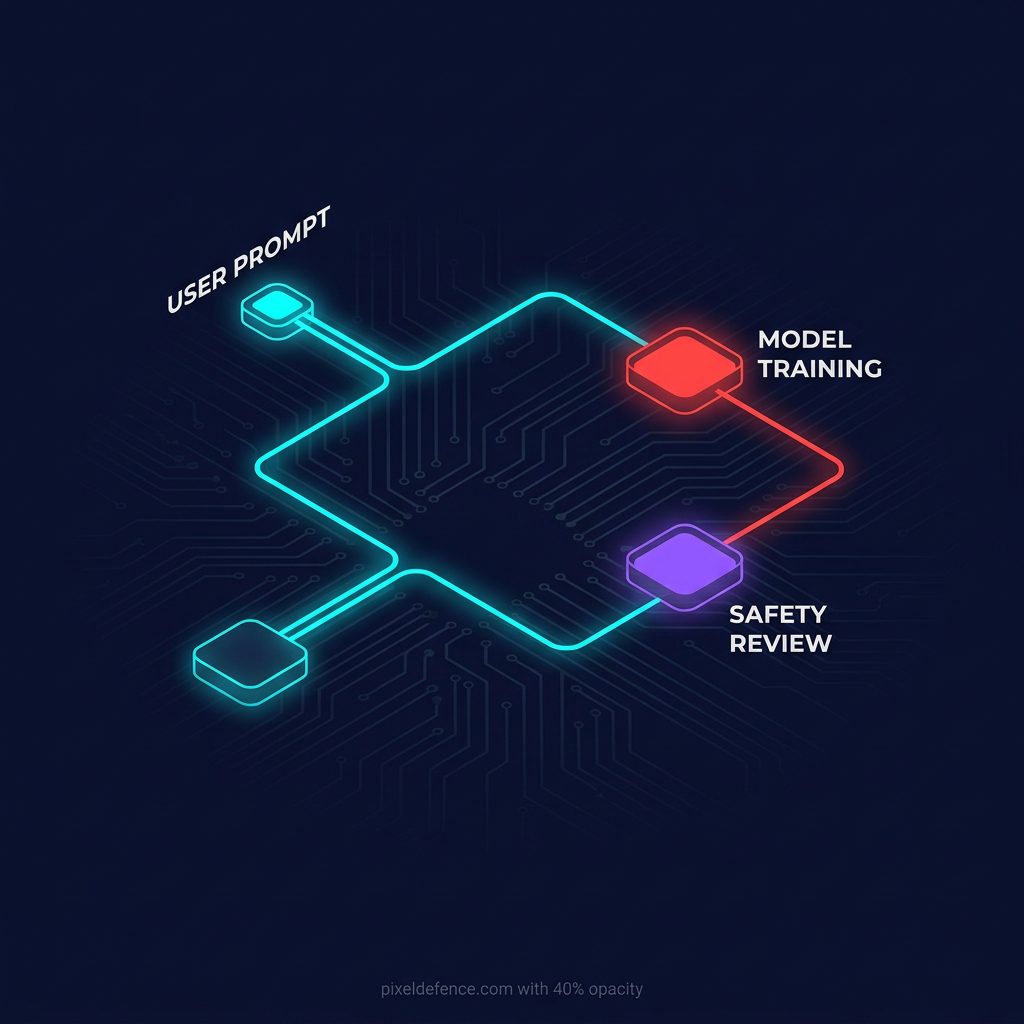
It encompasses fine-tuning the large language model, but it also encompasses safety monitoring. And safety monitoring requires human eyes. Your chatgpt data retention is practically permanent if it enters the neural network.
Can human reviewers read my ChatGPT prompts?
This is the part that usually shocks people the most. Yes, human reviewers can and do read your ChatGPT prompts.
It is incredibly easy to imagine that your data is just a drop in an ocean of billions of parameters, completely anonymized and stripped of context. But OpenAI employs massive teams of Trust & Safety moderators.
Many of these are third-party contractors located around the world, operating under immense pressure to filter out bad content. Their primary job is to review conversations to ensure the AI is not being used to generate illegal content, hate speech, or dangerous instructions.
If your prompt triggers a specific safety filter—perhaps because you used certain keywords that the automated system deemed suspicious, or because you asked a complex question that skirted the edge of their usage policies—your entire conversation session can be flagged.
Once it is flagged, it is routed to a human reviewer in a moderation facility.
That human reviewer is sitting at a desk, looking at a screen, reading the exact words you typed. If you pasted a confidential client contract into the chat window to summarize it, and that chat got flagged, a random contractor now has access to your client’s confidential information.
This is exactly why I wrote a comprehensive guide on what not to type into ChatGPT. You have to treat every single prompt as if it is an open postcard passing through a very crowded postal sorting facility. You never know who can read my chatgpt conversations.
How long does OpenAI keep deleted chats?
Here is where the user interface illusion comes completely into play. You finish your session, you decide you don’t want anyone to see what you just asked, so you click the delete button next to the chat title.
The chat vanishes from your screen. You feel safe. You assume the system has deleted your chatgpt history.
But it has not vanished from OpenAI’s servers.
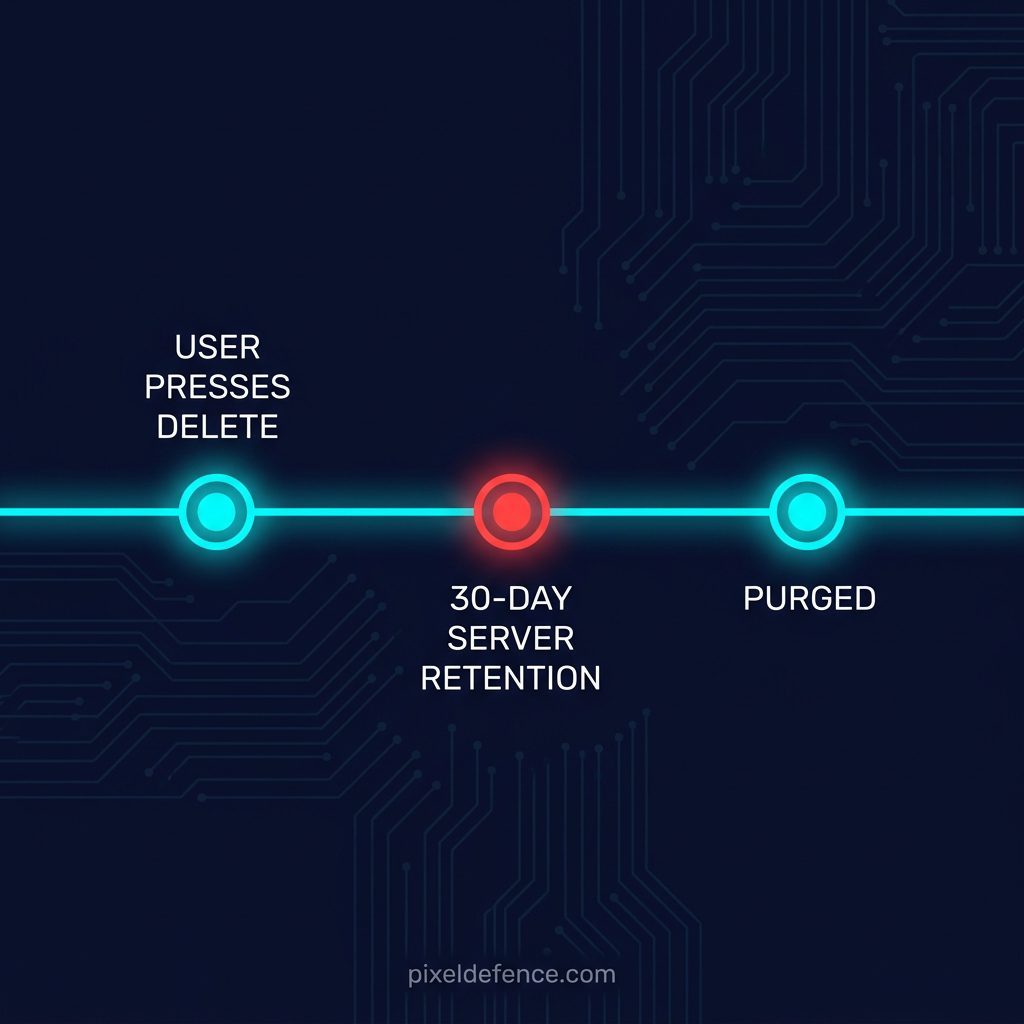
OpenAI’s policy includes a mandatory 30-day retention period. When you delete a chat, it enters what I call the ghost period. It is hidden from your view, but it is retained on their backend infrastructure for up to 30 days.
Why? They claim this is strictly for safety and abuse monitoring. If they need to investigate a violation of their terms of service, they need the evidence intact.
During these 30 days, your “deleted” chat is still entirely accessible to OpenAI’s internal systems and, potentially, their human reviewers if it was flagged. It is only after this 30-day window expires that the data is supposedly permanently purged from their active servers.
And even then, the privacy nightmare continues. If your data was already ingested and processed into a training batch before you deleted it, extracting your specific data points from a fully trained multi-billion parameter neural network is virtually impossible.
The GDPR and CCPA give you the right to request deletion, but in the realm of AI training, “un-learning” data is a technological hurdle that nobody has truly solved yet. Once the machine learns it, it cannot easily un-know it.
Is Temporary Chat actually private?
In response to growing privacy concerns and regulatory pressure from European watchdogs, OpenAI introduced a feature called “Temporary Chat.”
If you toggle this on, the conversation does not appear in your history, and OpenAI explicitly states that Temporary Chats will not be used to train their models.
This sounds like the absolute perfect solution, right? A true incognito mode for AI where you can finally be safe.
Not quite. While Temporary Chat is significantly better than the default settings, it is still not truly private.
Even when you use Temporary Chat, OpenAI still retains the conversation data on their servers for 30 days. The exact same ghost period applies here.
They still run the data through their rigorous safety filters. If you trigger a flag while using Temporary Chat, it can still be routed to a human reviewer to investigate.
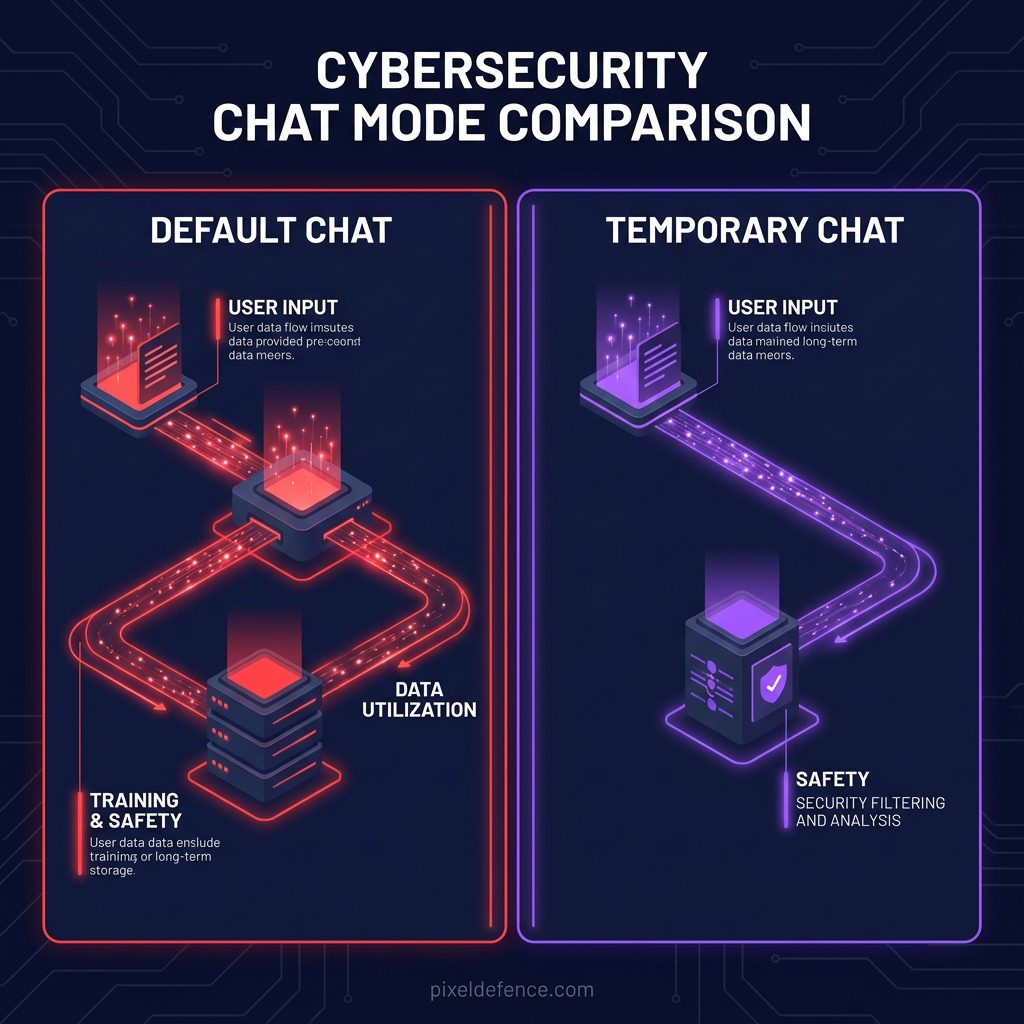
The only real privacy benefit of Temporary Chat is that it skips the model training pipeline and doesn’t leave a visible paper trail on your device. But on OpenAI’s backend, the data is still stored, logged, and monitored for a full month.
It is a step in the right direction, but it is far from an ironclad privacy shield. True chatgpt privacy settings are hard to find.
The enterprise exception
It is crucial to note that OpenAI treats corporate data entirely differently than consumer data. If you are using ChatGPT Enterprise, ChatGPT Team, or accessing their models via their official API, the privacy rules completely change.
By default, OpenAI does not use API data or Enterprise data to train its models. They recognize that multinational businesses will not adopt their technology if it means leaking proprietary source code, trade secrets, or financial projections into the public model.
But this creates a deeply unfair two-tiered privacy system. Corporations get absolute data sovereignty, while free users and individual Plus subscribers are treated as data farms to feed the algorithm. If you are an individual freelancer, a student, or just a regular person trying to write a better resume, your data is the product that makes their enterprise software valuable.
How to stop ChatGPT from training on your data?
You do not have to accept this default state of surveillance. You can force OpenAI to stop using your conversations for model training, but they strategically bury the setting. You have to know exactly where to look.
Here is exactly how you can opt out of data training right now:
1. Open ChatGPT in your web browser and securely log in.
2. Look at the bottom left corner of the screen and click on your profile picture or name.
3. In the menu that pops up, click on Settings.
4. Navigate to the Data Controls tab.
5. You will see a toggle labeled “Improve the model for everyone.” (They frame it as a community benefit to discourage you from turning it off).
6. Turn this toggle OFF.
Once you turn this off, OpenAI will definitively stop using your future conversations to train their models. However, this does not apply retroactively to things you have already typed, and it absolutely does not bypass the 30-day retention period for safety monitoring.
If you want to take it a step further, you can request an entire account deletion through their official privacy portal. This will wipe your history completely, but again, the 30-day retention rule often applies to the final purge of the backend data.
What you can do to protect yourself
The truth about AI memory is that it is permanent until proven otherwise. We are currently interacting with the most advanced data ingestion engines ever created in human history. They are designed from the ground up to absorb, analyze, and retain information indefinitely.
You cannot rely on a graphical delete button to protect you. You must fundamentally change your behavior.
1. Never share Personally Identifiable Information (PII). This means no names, home addresses, phone numbers, or social security numbers. Ever.
2. Scrub your data before pasting. If you are asking ChatGPT to review a contract, a legal document, or an email, manually change the names, company titles, and specific financial figures to generic placeholders (e.g., “Company A” and “Client B”) before you hit send.
3. Turn off model training immediately. Follow the exact steps above to toggle off “Improve the model for everyone.” There is zero tangible benefit to you leaving it on.
4. Assume a human is reading. Before you press enter on any prompt, ask yourself: “Would I be entirely comfortable if a random tech contractor in a moderation center read this paragraph?” If the answer is no, delete the prompt immediately.
5. Use Temporary Chat for sensitive queries. If you absolutely must ask a sensitive question (like a medical symptom or legal doubt), use Temporary Chat. It won’t stop the 30-day server retention, but it will keep the data out of the training pool and off your local screen history.
Action Checklist
Do not close this tab until you have done the following crucial steps:
1] Go into your ChatGPT Settings > Data Controls and turn OFF “Improve the model for everyone.
2] Read the What Not to Type Into ChatGPT guide so you know exactly which data points trigger the highest risk and what you should avoid.
3] Go through your current ChatGPT history and manually delete any conversations that contain work secrets or personal vulnerabilities. (Remember, they will linger for 30 days, but the countdown starts when you hit delete).
4] Start using placeholder names (John Doe, Company X) for all future prompts to ensure your privacy remains intact.
AI is incredibly powerful. I use it constantly to build things and understand complex topics. But you have to treat it like a public forum, not a private diary. The moment you type something into that box, you lose control of where it goes. Take your control back today.
If you want to switch to tools that don’t store conversations at all, here’s our full directory of private AI alternatives across every category.
Bonus Step: Taking control of your chat history is just one part of the puzzle. We highly recommend reviewing our 2026 guide on how to opt out of AI training on every major platform to secure your data across the rest of the web.